
Some of the most useful digital tools are born not from elaborate business plans or ambitious product roadmaps, but from the frustration of having to perform the same task repeatedly.

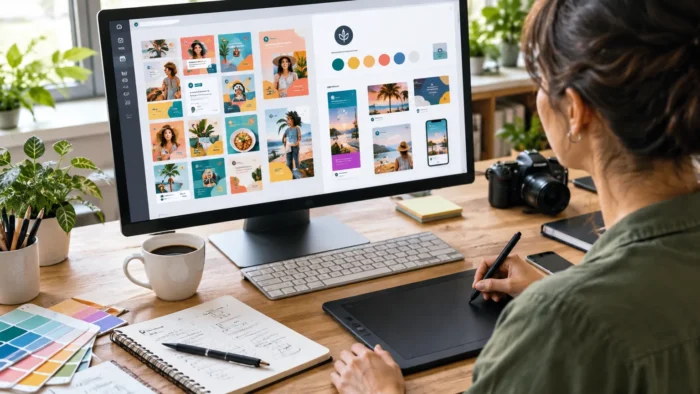
As a digital designer and content creator, I regularly find myself producing articles, designing websites, managing content for different brands and preparing promotional graphics for social media. While these activities are closely related, the transition from publishing an article to promoting it across multiple channels can involve a surprising amount of repetitive work.
Extracting a title, copying a description, downloading a featured image, opening a graphic design application, applying the correct branding and exporting the finished graphic are all relatively simple tasks. When repeated across dozens of articles and multiple clients, however, they become considerably more time-consuming.
Some time ago, I decided to do something about it.
What began as a modest HTML and JavaScript experiment has now evolved into something considerably more ambitious: DP Social Studio, a free, browser-based content marketing toolkit designed to transform existing web content into professional branded graphics and promotional materials.
This is the story of how we got here.
Table of Contents
It all started with a simple CTA card generator
The original idea was straightforward. I wanted to create a small application capable of reading the source code of a web page and automatically extracting the information required to produce a promotional graphic.
Most modern websites already contain much of this information within their HTML. Article titles, SEO descriptions, featured images, canonical URLs and Open Graph metadata are routinely included to help search engines and social media platforms understand the content of a page.
Rather than manually collecting this information, why not build a tool that could extract it automatically?
The initial workflow was deliberately simple. I could open a published article, use my browser’s View Page Source function, copy the HTML and paste it into the application.
The script would then identify the relevant information and populate a square promotional card. I could customise its colours, modify the headline, adjust the description, add a call to action and download the resulting graphic.
There was no account to create, no subscription to purchase and no software to install.
It was not intended to replace professional graphic design applications. Its purpose was to eliminate repetitive work and make the process of transforming published content into promotional materials considerably more efficient.
That small application became the original CTA Card Generator.
Building a tool around a real professional workflow
One of the advantages of developing software for your own professional needs is that every feature can be evaluated against an actual working process.
I work with websites belonging to very different industries. A graphic promoting an automotive article requires a different visual approach from one introducing a technical guide about renewable energy or promoting a restaurant’s latest editorial content.
Although the underlying process is similar, the branding requirements are not.
The original application therefore gradually acquired additional functionality. Custom colour palettes could be created and saved, logos could be uploaded, contact information could be included and different card layouts became available.
Eventually, the application reached its fourth major version, which already offered a surprisingly useful collection of features.
It could extract website metadata, generate hashtags, retain reusable templates and automatically recover an active draft. It also provided a live canvas preview and exported finished graphics as high-resolution square PNG images.
For its original purpose, it worked remarkably well.
But working with it also revealed how much more it could potentially achieve.
From CTA Card Generator to a professional design toolkit
The next significant development phase began with a simple question: what else could we add to make this application more useful?
Together with my AI development assistant, I began reviewing the existing architecture and identifying opportunities for improvement.
The resulting discussion went well beyond adding a few extra colours or changing the appearance of the interface. We identified several features that could fundamentally improve the application while preserving its original simplicity.
The outcome was Version 5, which we informally called the Professional Design Edition.
Creating graphics for different platforms
The original application was restricted to square images measuring 1080 × 1080 pixels. While this format remains useful for many social media applications, it does not accommodate every publishing requirement.
Version 5 introduced six predefined output dimensions covering square posts, portrait graphics, stories, landscape images, social link cards and Pinterest-style graphics.
Custom dimensions were also introduced.
Importantly, the application does not simply stretch an existing square image. Its rendering engine adapts the composition to the selected dimensions, repositioning the visual and textual elements accordingly.
A single article can now be transformed into several differently proportioned promotional graphics without recreating each design manually.
The application can even export all six predefined formats together in a ZIP archive.
Introducing persistent brand kits
Reusable colour templates were already a valuable feature, but managing multiple clients required something more comprehensive.
This led to the introduction of persistent brand kits.
A brand kit can retain a company’s logo, colour palette, preferred typography, layout, contact details, default call to action and other design preferences.
Even more conveniently, a brand kit can be associated with a particular website domain. When content from that website is subsequently imported, the application can automatically apply the corresponding branding.
For freelancers, agencies and content creators working with several websites, this feature can significantly reduce repetitive configuration.
Brand kits can also be exported and imported, making it possible to back them up or transfer them to another computer.
Greater creative control
Version 5 also introduced advanced image positioning, zoom, brightness, contrast, saturation and overlay controls.
Typography became more flexible, with independent headline and body font selections, adjustable sizes, alignment and line spacing.
The original three layouts were expanded into a library of nine compositions, including editorial, minimalist, product spotlight, magazine cover and floating card designs.
PNG, JPEG and WebP export options provided additional flexibility when preparing graphics for different publishing environments.
At this point, the application was already becoming considerably more than a CTA card generator.
From graphic design to content marketing
Once the new design capabilities were implemented and tested, another possibility became apparent.
A promotional graphic is only one component of a content marketing campaign. The accompanying social media caption, destination link, campaign tracking and distribution format are equally important.
Why should the application stop at creating the image?
This question became the starting point for Version 6, the Content Marketing Edition.
Social media captions without mandatory AI
One of the additions introduced during the previous development phase was a social media caption generator, capable of preparing accompanying text for Facebook, LinkedIn, Instagram, Pinterest, X and Google Business Profile.
The generator uses the information already extracted from the article, including its title, description, destination URL and hashtags.
Captions can be edited manually, and the application supports English and Italian language templates.
Perhaps the most interesting aspect of this functionality is that it does not require an artificial intelligence service.
Although AI played an important role in developing the software, the application itself uses predefined templates to produce its captions. This keeps the functionality accessible without requiring API keys, subscriptions or external processing.
QR codes and campaign tracking
Version 6 introduced an integrated QR code generator and a UTM campaign link builder.
QR codes can be generated from the article’s original URL or a customised destination. They can be incorporated directly into promotional graphics or downloaded independently.
The campaign link builder allows users to add UTM parameters to their destination URLs, making it possible to distinguish traffic originating from different marketing campaigns when using compatible website analytics tools.
The generated campaign URL can also be included in the accompanying caption or QR code.
These additions create a useful connection between the visual design of a promotional graphic and the wider marketing objectives behind it.
Extracting colour palettes automatically
Selecting an appropriate colour palette is an important part of creating a visually coherent design.
The application can now analyse a featured image or uploaded logo and extract representative colours directly from it.
These colours can be applied to the card, adjusted manually and subsequently saved as a reusable template or brand kit.
The application also suggests suitable black or white text colours according to background luminance, helping users establish an initial level of visual contrast.
For situations where an established brand palette is unavailable, this provides a useful creative starting point.
A more intelligent approach to extracting website content
The original extraction engine primarily relied on conventional HTML and Open Graph metadata.
Version 6 expanded this functionality to include common JSON-LD structured data, allowing the application to identify additional information such as article authors, publication dates, categories and product prices when available.
Image extraction was also improved. Rather than limiting users to the main featured image, DP Social Studio can identify multiple image candidates contained within the source code and present them in a selectable gallery.
Users can therefore choose the photograph that best suits the composition of their promotional graphic.
The underlying principle remains the same: make better use of the information that websites already contain.
Turning a blog article into a social media carousel
One of my favourite additions to Version 6 is the carousel generator.
Many informative articles contain several distinct sections, each addressing a particular aspect of the subject. These sections often lend themselves naturally to a sequence of social media graphics.
DP Social Studio can identify article headings and associated paragraphs and use them to create a series of branded slides.
A carousel can begin with an introductory cover, continue with individual content sections and conclude with a final call to action directing readers towards the original article.
Slides can be edited, reordered, added or removed before exporting the complete sequence as numbered PNG files.
Rather than promoting an article through a single graphic, content creators can repurpose its structure into an engaging multi-slide presentation.
This opens up interesting possibilities for educational content, product comparisons, technical guides, tutorials and editorial features.
Batch processing for larger content campaigns
The final major addition to Version 6 was batch card generation.
Users can now import multiple saved HTML source files or a CSV containing information about several articles and generate a collection of promotional graphics in a single operation.
The application can associate imported articles with existing brand kits according to their website domains, applying the appropriate branding automatically.
Finished graphics are packaged together with a report identifying potential issues, including missing images or shortened text.
For anyone responsible for managing an extensive editorial calendar or promoting content across multiple websites, this represents another opportunity to reduce repetitive production work.
A different approach to AI-assisted software development
There is another interesting aspect of this project that deserves some attention: the way in which it was developed.
DP Social Studio is the result of an ongoing collaboration between a digital designer and an AI development assistant.
However, this was not a case of entering a single prompt and receiving a complete application.
The development process involved identifying genuine requirements, reviewing existing code, discussing possible improvements, implementing functionality, testing the results and refining the application according to practical experience.
Each version built upon the previous one.
Whenever a new feature was introduced, its usefulness had to be evaluated in the context of a real working environment. Small details, such as an incorrectly hardcoded contact label, were identified through actual use and incorporated into subsequent improvements.
This iterative approach is particularly interesting because it illustrates where AI-assisted development can provide meaningful value.
Artificial intelligence can help accelerate implementation, explore alternative solutions and assist with technical challenges. Human experience remains essential in determining which problems are worth solving, how the application should behave and whether the resulting functionality is genuinely useful.
The technology made development more efficient, but the direction of the project came from practical professional requirements.
Why DP Social Studio is different
There are already numerous excellent applications for creating social media graphics.
Many of them offer extensive template libraries, advanced editing capabilities and sophisticated collaboration tools. DP Social Studio is not intended to compete with those platforms across every aspect of graphic design.
Its distinguishing characteristic lies in its starting point.
Most traditional design applications begin with an empty canvas or a predefined visual template. The user then introduces the content, selects the imagery and adds the relevant information.
DP Social Studio reverses that process.
It starts with the content and builds the design around it.
The application is particularly suited to people who already publish articles, manage websites, maintain online catalogues or produce editorial content.
The information already available within a published web page becomes the foundation for a promotional graphic, a social media caption, a carousel or a broader marketing campaign.
This content-first approach is what makes the application particularly relevant to my own workflow, and it is the principle I intend to preserve as development continues.
A lightweight application with no subscription requirements
Despite the considerable expansion of its capabilities, DP Social Studio remains remarkably lightweight.
The current standalone version occupies approximately 150 KB and consists of a single HTML file that can be opened directly in a modern browser.
There is no installation process, no mandatory account registration and no subscription requirement.
Content extraction, graphic rendering, QR code generation and most other operations take place directly within the browser. Drafts, templates and brand settings are stored locally.
An internet connection may still be necessary when retrieving remote website images, and some websites restrict how their images can be accessed by browser-based applications. In those situations, users can upload authorised local copies instead.
The aim is to maintain a useful balance between functionality, portability and independence from external services.
Users should also ensure they have permission to reuse any website content or imagery included in their promotional materials.
Who can benefit from DP Social Studio?
The application was originally designed to address the requirements of my own professional activities, but its potential audience is considerably broader.
Bloggers can use it to create promotional graphics for newly published articles. Digital designers and marketing agencies can maintain consistent branding across multiple clients. Small businesses can prepare branded promotional materials without starting every design from scratch.
Website administrators can repurpose existing content, while educational institutions can transform informative articles into social media carousels.
For freelancers and independent professionals, the combination of reusable brand kits, multiple export formats and local processing can be particularly appealing.
It is not a replacement for every design tool in a professional workflow. Rather, it is a specialised companion designed to make a particular set of recurring tasks faster and more consistent.
Making DP Social Studio freely available
Having successfully tested the current version in my own working environment, I have decided to make DP Social Studio available through the free downloads section of this website.
Two versions are available.
The standalone edition is intended for users who simply want to open the application and start creating graphics. Everything required for its core functionality is contained within a single HTML file.
The complete package includes the modular HTML, CSS and JavaScript files, documentation, the standalone application and a sample CSV for testing batch generation.
This second option may be particularly useful to developers who wish to explore the application or deploy it on their own hosting environment, subject to the applicable software and third-party licensing terms.
Both versions are available without charge.
Looking towards Version 7
Although Version 6 represents a significant milestone, the development journey is far from over.
Future possibilities include optional AI-assisted content generation, image generation, a browser extension capable of simplifying website content extraction, an installable progressive web application and a persistent project library.
These additions could further reduce the time required to transform published content into complete promotional campaigns.
However, one principle will remain unchanged: artificial intelligence should enhance the application, not become a requirement for using it.
The current functionality will continue to be valuable independently of any AI integration.
Sometimes the best tools begin with the smallest ideas
Looking back at the development of DP Social Studio, what I find particularly rewarding is how naturally the project evolved.
There was no intention to create an extensive content marketing platform when I first began working on the original script.
I simply wanted to avoid repeating the same collection of tasks whenever I needed to promote a newly published article.
One improvement led to another. Reusable templates became brand kits. Square graphics became multi-format exports. Content extraction became content repurposing. A basic promotional card generator developed into a versatile digital marketing companion.
The entire journey serves as a reminder that useful innovation does not always require starting with a revolutionary idea.
Sometimes, it begins with identifying an everyday inconvenience and gradually building a better way of doing things.
DP Social Studio is the result of that process.
And I am looking forward to seeing where it goes next.
Test DP Social Studio
 DP Social Studio V6
From web content to social campaigns. Extract, design, repurpose and export.
Live preview
Final export size: 1080 × 1080 px PNG
Download DP Social Studio
DP Social Studio V6 — Content Marketing Edition is now available in the free downloads section of this website.
Whether you are a blogger, digital designer, content creator, marketing professional or simply someone looking for a more efficient way to promote website content, I invite you to explore the application and see how it might fit into your own workflow.
One article. Endless possibilities.
Extract. Design. Repurpose. Export.

Digital Designer, blog writer and also a tech enthusiast.
He loves to write content for blogs, podcasts, design websites, logos, brochures, banners and anything that sends a message to an audience.
You can contact Daniele at the link below:


