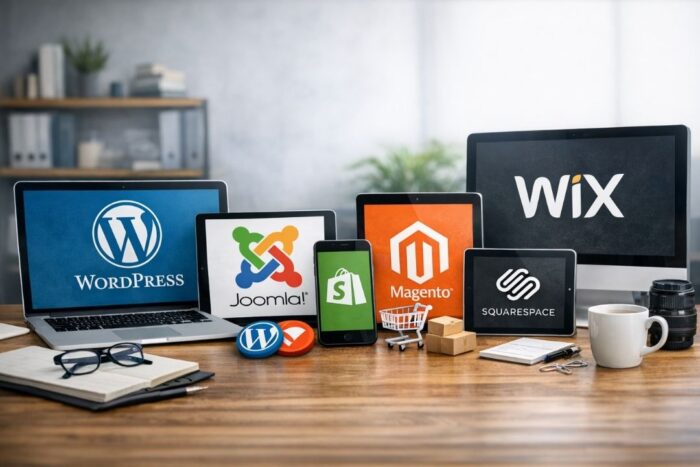
Whether you’re a seasoned developer or a tech novice, there’s a CMS out there tailored to your needs. Here, we’ll go deep into the top CMS platforms that promise seamless digital content management.

In today’s digital landscape, managing content effectively is paramount for businesses, bloggers, and e-commerce platforms alike. A robust Content Management System (CMS) can make the difference between a smooth, efficient workflow and an overwhelming, chaotic one.
Table of Contents
WordPress
WordPress is arguably the most popular CMS platform available today, powering approximately 40% of all websites on the internet. Its user-friendly interface, extensive plugin library, and customizable themes make it an excellent choice for both beginners and advanced users.
Key Features:
Ease of Use: WordPress’s intuitive dashboard allows users to manage their content with minimal technical knowledge.
Plugins and Themes: With over 58,000 plugins and countless themes, you can tailor your site to fit your specific needs.
Community Support: A vast and active community means that help is always available, be it through forums, tutorials, or professional services.
Best For: Blogs, small to medium-sized websites, and e-commerce through WooCommerce.
Joomla!
Joomla! is another powerful CMS that offers more flexibility than WordPress but requires a steeper learning curve. It’s ideal for users who have some technical background and are looking for more advanced features.
Key Features:
- Advanced User Management: Joomla! offers more complex user management options, making it suitable for membership sites.
- Multilingual Support: Built-in multilingual support helps manage multiple language sites without needing additional plugins.
- Extensibility: With thousands of extensions and templates, Joomla! allows for extensive customization.
- Best For: Membership sites, social networking sites, and e-commerce.
Drupal
Drupal is a highly flexible and powerful CMS known for its robustness and scalability. It’s often the preferred choice for large enterprises and complex websites.
Key Features:
- Customization: Drupal offers unparalleled customization options, allowing developers to create complex, feature-rich websites.
- Security: Known for its strong security protocols, Drupal is often used by government and large corporate websites.
- Performance: Optimized for performance, Drupal can handle high traffic volumes and large amounts of content seamlessly.
- Best For: Large enterprises, government websites, and sites requiring complex data organization.
Shopify
Shopify is a specialized CMS designed specifically for e-commerce. It’s an all-in-one platform that allows users to create, manage, and scale their online stores with ease.
Key Features:
- Ease of Setup: Shopify offers an intuitive drag-and-drop interface, making it easy for anyone to set up an online store.
- E-commerce Tools: From inventory management to payment gateways, Shopify provides all the tools needed to run an e-commerce business.
- Mobile Optimization: All Shopify themes are mobile-responsive, ensuring a seamless shopping experience on all devices.
- Best For: E-commerce websites of all sizes.
Magento
Magento, now part of Adobe Commerce, is another powerhouse in the e-commerce CMS space. It’s highly customizable and scalable, making it suitable for both small businesses and large enterprises.
Key Features:
- Flexibility: Magento offers extensive customization options, allowing businesses to tailor their stores to meet specific needs.
- Advanced SEO: Built-in SEO features help improve search engine rankings and drive traffic.
- Integration: Magento integrates seamlessly with third-party services, including payment gateways, shipping providers, and marketing tools.
- Best For: Medium to large e-commerce businesses.
Squarespace
Squarespace is a popular all-in-one website builder known for its beautiful design templates and ease of use. It’s an excellent choice for creatives and small business owners who want a visually stunning website without the need for extensive coding.
Key Features:
- Design Templates: Squarespace offers award-winning templates that are fully customizable.
- Ease of Use: The drag-and-drop builder makes it easy to create and manage content.
- All-in-One Platform: Hosting, domain registration, and customer support are all included in one package.
- Best For: Creatives, small businesses, and portfolio websites.
Wix
Wix is another user-friendly website builder that offers a high degree of flexibility with its drag-and-drop interface. It’s ideal for small businesses, personal websites, and beginners who want an easy way to create a professional-looking site.
Key Features:
- Drag-and-Drop Builder: Easily customize your site without any coding knowledge.
- App Market: Wix offers a variety of apps to extend the functionality of your site.
- Artificial Design Intelligence (ADI): Wix ADI can create a website for you based on your answers to a few questions, making it even easier to get started.
- Best For: Small businesses, personal websites, and beginners.
FAQs
What is a CMS?
A CMS, or Content Management System, is a software application that enables users to create, manage, and modify digital content without needing specialized technical knowledge.
Which CMS is best for beginners?
WordPress and Wix are often recommended for beginners due to their user-friendly interfaces and extensive support resources.
Is WordPress better than Joomla!?
It depends on your needs. WordPress is generally easier to use and has more plugins and themes, while Joomla! offers more advanced user management and multilingual support.
Can I use more than one CMS?
While it’s technically possible to use more than one CMS, it can complicate content management and increase maintenance efforts. It’s usually best to choose one CMS that meets all your needs.
What is the best CMS for e-commerce?
Shopify and Magento are top choices for e-commerce. Shopify is easier to set up and use, while Magento offers more customization and scalability.
Do I need coding skills to use a CMS?
Most popular CMS platforms like WordPress, Wix, and Squarespace do not require coding skills for basic usage. However, having some coding knowledge can help you customize your site further.
How much does a CMS cost?
Costs can vary widely. WordPress is free but may require paid themes and plugins. Platforms like Shopify and Squarespace charge monthly fees, while Magento can be expensive due to hosting and additional services.
Choosing the right CMS is crucial for the success of your digital content strategy. By understanding the strengths and weaknesses of each platform, you can make an informed decision that aligns with your business goals and technical capabilities.

Digital Designer, blog writer and also a tech enthusiast.
He loves to write content for blogs, podcasts, design websites, logos, brochures, banners and anything that sends a message to an audience.
You can contact Daniele at the link below: