

Let’s start by saying that one of my clients WordPress Website went under attack during the week-end 05-06/09 and was infected by malware (SPAM sending oriented) which spread to most of the file directories compromising the site functionality at the point that it went offline on the morning of Wednesday 09-09-2020 when the issue reoccurred despite the sanitation applied over the week-end.
I had then attempted to restore some previous backups but realized that the issue laid way below those layers and finally after countless hours attempting to perform a clean-up, in agreement with my colleague, we decided to wipe the all AWS Instance (The actual server) and rebuild it from a previous snapshot. This last attempt has proven to be more successful and all the scans for malware have then reported 0 issues. However, because of the AWS snapshot we had to restore was from some time before, some of the last changes we had done were not there anymore, thankfully not many changes as the website is not a blog or a site that is constantly in progress nevertheless…it looks like an happy ending…..or was it?
Please note the following:
It is not sure how the WordPress or the web server environment got affected by the hack but the logs show that during the week-end this particular site was targeted with hundred of MySql injection requests. This is commonly know as “Brute Force” attack and are operated mainly by bots that try sequences of ID and Passwords in blocks of thousands. These ID and passwords are part of lists sold on the dark web and contain millions of stolen credentials form other hacks.
It is therefore necessary that we do all what we can in order to prevent falling pray of such bad actors once again.
The following guidelines are among the top things we can do to prevent this from reoccurring.
– Never use Password123 or admin1234 or any other similar easy to guess password for any of your admin accounts (indeed you should not use them in any of your accounts whether for work or personal).
– Do not use the same password for multiple account / different sites. Hackers know this is a common mistake and will attempt to login in any other sites belonging to you using the same set or combinations of credentials.
– Do not share your user / password credentials with anyone, even if this is only meant to be a temporary option (sometimes you might think is OK in order to show the back-end to someone). Refrain from doing so even if this person is an admin at your office. Everyone should have is own, so that it will be easier to understand from the logs which account has been compromised, when was last used, what operations have been done, the geo location and so on, additionally we can act promptly by blocking it.
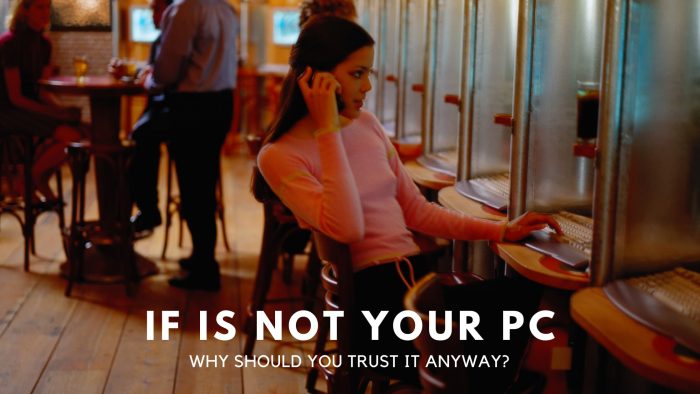
– Do not login on the back-end of the website using insecure computers, computers that do not belong to you or in free wifi hotspot zones such as airports or cafe’s. Cafe’s, public lounges and airport are the most common way to get compromised as hackers know they can get plenty of victims in those places without no one to catch them. Free wifi are generally not monitored as staff that works in cafes or this sort of public places are mainly students, part-timers, are not interested or lack the knowledge altogether on how to secure them. Their routers are most of the times running old hardware / firmware and in a large amount of cases security firms have reported that the majority of this places have routers in which the basic admin ID and password have not been changed. This means that anyone with an average of computing knowledge can see the brand of your router (if a bit more skilled immediately guess the model) go online and see what is the default password and ID for the admin account to get into its settings (it can be done by just entering on a web browser connected on that network the basic router IP 192.168.1.1.). This information is free and is available from almost all the major router’s manufacture (in most routers there is also a sticker underneath with printed ID / password for the admin account. So now you know how easy it can be to access an unsecured network. But what happen then?
Once the hacker has successful accessed the admin account for that router and with the aid of other easily available online software sniffers such as “wireshark” he can then control all the information that has been shared through it (your ID and password when you login on the site, the page you visit, your email, your bank details etc.). Although some of the information might be encrypted, there is plenty available software hacking tools that will also de-crypt it…and let me mention to you that many free wifi hotspots actually send information through the air with “no encryption whatsoever”.
As for your friends and flatmates, despite being people who you know and trust, you’ll never know what’s running on their computer, additionally, your friend might not even be aware to have been compromised as it might be a victim of a hacked PC that yet has not realized it. So the next thing is going to happen is that once you login on your website with his / her infected PC a small common spyware program that can run on both Windows or Mac is taking screenshots and sending them to a remote computer together with all the keystrokes you’ve typed (hence your id and password for all the accounts you have accessed from that PC are included on the packets sent).
It is worth nothing if you follow the first three points in this list but then you miss this last one…You might think that these things only happen in series TV of the kind of MR. Robot but you better believe it is not. The reality is that this hack tools are available on the web for a few dollars each and, specially now in lock-down times, due to the viral spread of the Covid 19 Pandemic, there is plenty of bored teenagers spending countless time on the internet and trying to become the next famous hacker….. so that to show off with their pals and gals in their obscure subredit forums.
So, in conclusion, let’s all do our little and keep both eyes open. This time we have been lucky and the web site has not been defaced and no apparent nefarious damages has occurred, however…if we allow this things to happen again…next time might not be so easy…!

Digital Designer, blog writer and also a tech enthusiast.
He loves to write content for blogs, podcasts, design websites, logos, brochures, banners and anything that sends a message to an audience.
You can contact Daniele at the link below:


