Following the news and revelations about security concerns raised by the NSA activities.
Now that we’ve come to know what security services and government agencies can do we start to realise that actually privacy is nothing true. No matter how loud are websites screaming about their policies about cookies, as you might have noticed since a month or so all major web sites are adding an alert when you visit their web site asking to acknowledge that cookies are enabled. In other words also this web sites are collecting data……everyday, every time you visit…and not only.
But what about our social life? Are you “sharing” your life online in Facebook, Twitter and so on? Well you better understand the site policies than because you are probably granting those sites full access to all your data.
You might also want to check your mobiles as this is one of the very best way to gather precious data not only from mobile carries and operating system makers but from developers of the applications your install to it.
If you have never bothered reading what permission an app requires when installing into your phone, (permission that you have granted otherwise the app will not install), let me briefly list the data that in most of our phones is available to app developers:
- Your geo position
- Your phone settings, (time / date / preferences)
- Your list of contacts
- Your text messages
- Your email account and settings, (this includes access to all your emails)
- Your log of calls, (all numbers, time and date of calls)
- Your internal files and directories, (documents, pictures, music, video etc.)
- Full internet and network activity, (ability to use your network to send and receive files, thus copy of your data)
- Ability to make calls and send text messages, (remotely and without you to know it)
The list goes on, basically all the features and personal data of your phone are in someone’s hands….someone you don’t even know.
Ultimately I would like to bring another little detail to your attention, something that not many people are aware of, something that is actually one of the most widespread system to remotely control anyone’s life in the obscure……without that person to know it.
Think about…..
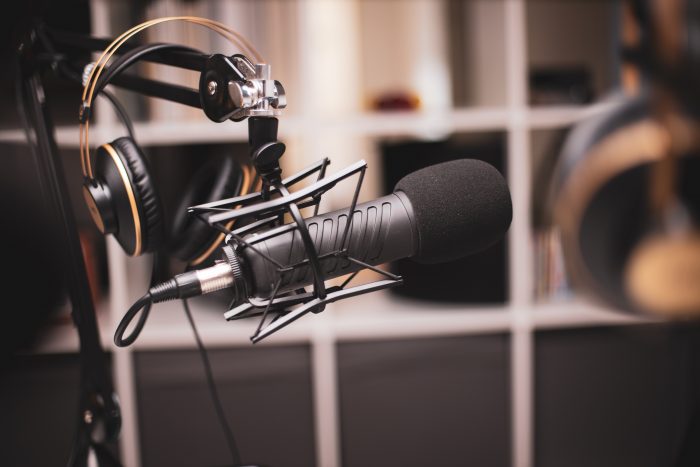
We all have at least a PC or a laptop at home, this PC or laptop has a web cam and a microphone built in that we use for our voip calls in skype / msn etc.
How would you know if this two pieces of hardware are working in the background and spying on you? Do you think is impossible…?
Well Think again, it is actually “very” possible and is a very well know hack commonly built in .php pages of web sites that have been subjected to malaware attacks.
Here is how it works:
You visit a web site that has been injected with malaware, all in one sudden a pop up floating window appears on the center of the screen asking you to take a survey or to sign up for a newsletter. The pop up gives two choices:
- Cancel and close the pop-up
- Accept and follow up
In both cases, (whichever you select), the button will give you the action of your choice, so that you don’t get suspicious, however that button you have just clicked will also act as the trigger to start a php / Mysql script that will start your web cam and microphone and send the audio and video stream or screenshot to a remote URL.
In both cases, (whichever you select), the button will give you the action of your choice, so that you don’t get suspicious, however that button you have just clicked will also act as the trigger to start a php / Mysql script that will start your web cam and microphone and send the audio and video stream or screenshot to a remote URL.
The actual script is made of more pages, normally 5 or even more, this pages interact together, the final output is sent to a Sql database for secure storage and later view from the attacker.
SO…NOW YOU WANT TO KNOW HOW TO PREVENT THIS TO HAPPEN TO YOU?
Follow this 3 steps and you might feel a bit more secure:
- Buy some masking tape, cut a square of an inch by an inch and apply it at the top of your web cam. Remove it only when you want to use your skype or voip applications.
- Buy some cheap headphones, (bought mine for a pound at the local Poundland), cut the wires from the jack, insert the jack to your PC microphone socket, again, remove it only when you want to use the microphone for a call.
- Turn off your router when not using the internet, your attacker needs your machine to send data via your network, so if the network is off…..no data can be sent.
NOTE:
You can also disable your microphone and camera from the audio and video settings of your control panel, (check your operating system as this varies accordingly), however, if you don’t want to mess with it, just follow the steps and your should be fine…….

Digital Designer, blog writer and also a tech enthusiast.
He loves to write content for blogs, podcasts, design websites, logos, brochures, banners and anything that sends a message to an audience.
You can contact Daniele at the link below: