

Do you have any doubts regarding the fundamental upkeep duties required to maintain your WordPress website functioning properly? With little work, regular WordPress maintenance guarantees site security, safety, and peak performance.
Everything will be covered, including optimising your database, creating regular content updates, backing up your website, and running security assessments.
Regardless of your level of experience with WordPress, this tutorial will explain the importance of maintenance and equip you with the tools and information you need to maintain the optimal performance of your website.We’ll include the essential WordPress maintenance jobs in this tutorial along with detailed instructions to keep your site operating securely and effectively.
Table of Contents
WordPress Maintenance: What Is It?
WordPress maintenance is the term for a variety of operations used to keep a WordPress website secure, operational, and long-lasting. WordPress is a dynamic platform that powers millions of websites globally. To keep WordPress sites operating at their best, frequent maintenance is essential.
A WordPress website’s long-term viability depends on WordPress upkeep. WordPress site owners may maintain the security, efficiency, and usability of their sites by regularly doing updates, backups, security upgrades, performance optimisation, database maintenance, content management, and monitoring.
WordPress maintenance tips
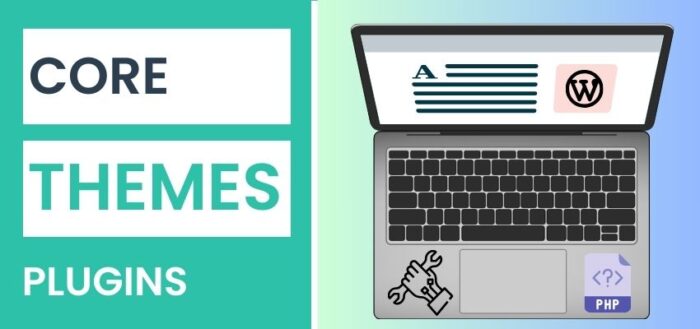
Update the core, themes, and plugins of WordPress
Failing to update and maintain the core programme and its components is one of the primary reasons for WordPress faults and security problems. It’s common to find that security flaws and vulnerabilities are at the root of many of the update logs seen on WordPress.org and any major plugin. Errors are more likely to occur the longer you use out-of-date software. Furthermore, there’s no excuse not to update WordPress and its components frequently because they’re so easy to accomplish. You may enhance many areas of your website with the aid of new capabilities that are made available to you.
Remove any unneeded plugins and themes
It could be time to get rid of the numerous WordPress plugins and themes that you find yourself upgrading regularly but aren’t really utilising. WP database records are eliminated, space is freed up, and maintenance chores go more smoothly when inactive plugins and themes are deleted. Review the list of installed plugins if you have a lot of them. It will take some time. Examine the tools you truly use, then remove the ones you don’t.
We advise reviewing your list of active plugins at least once every two months in terms of frequency. It’s worth it to cut down on plugin bloat if you update your site frequently since you’d be shocked at how many plugins may amass.
Make your website more secure
WordPress comes with security built right in. Nonetheless, there are several ways to strengthen WordPress security. Even though your website might not keep sensitive customer data, this is nevertheless necessary since hackers could use it to spread malware or spam.
Updating WordPress, along with its plugins and themes, to the most recent versions is the most crucial security duty. One should not delay in obtaining updates since they frequently contain security patches.
Make the database more efficient
Removing unnecessary tables and rows from the WordPress database is known as “optimisation.” After being removed, a lot of WordPress plugins leave behind orphaned items in the database. Your website may load more slowly as a result of this bloat slowing down database requests. Database optimisation can help in this situation.
It might be challenging to navigate the database and figure out which records you can safely remove. We advise backing up your website before making any database modifications. This shouldn’t be an issue if you followed our instructions for an automatic backup.
Delete unnecessary and unreferenced files
As your website grows, you’ll likely find yourself holding files on the server that you never use. Most often, pictures are the culprits. One type of residual file that can lead to bloat and endanger your system is a backup or temporary configuration file. As a result, hundreds of
unreferenced files—possibly big ones—end up on your server. These files cause issues with storage and backups. Because most hosting plans have a storage limit, it makes little sense to keep WordPress files that are not being utilised or referenced to on the server.
READ ALSO: 10 Best Self Hosted Project Management Tools
Examine and correct any broken links
There can be broken link problems. If a consumer finds a broken link on your website, they can assume that your content is outdated or that no one is looking over it. Furthermore, broken links can harm your search engine rankings and SEO since they can lead to shorter visitor times and increased bounce rates.
If the broken link takes them to an internal website, it’s worse. Every time you click on an internal link that is broken, you are losing out on possible extra website time. It also raises questions about how trustworthy your material is. Thousands of internal and external links may be found on many modern websites. Manually keeping an eye on all those connections is almost impossible.
Test your forms periodically
Particularly for eCommerce sites, forms are among the most important components of any website. They’re also one of the rare completely interactive web design components. You may not be able to get new leads, support inquiries, or even payments if a form stops functioning.It makes sense to test forms regularly given how important they are. In order to verify that the form functions, you must use it as a normal user. When you submit a form, you should often receive a success message.
Conclusion
These were the key aspects of WordPress development company in UK, and we hope that you will now use these actions to get your website checked over regularly. Temporary cache folders may have been created by removed plugins or temporary files. Your website will become faster and more powerful after thoroughly clearing all of these resources. You should verify if the theme or plugin you were attempting to experiment with has been removed at least once a month. Some of these chores may be automated to save you time, allowing you to devote more time to other crucial manual inspections.

Nouman Sabir is an insightful and creative content writer with over a year of experience. Upon completing his Bachelor’s degree, he embarked on a content writing career. In parallel to his writing pursuits, Nouman currently holds the position of Solution Architect – CTO at DigitilizeWeb, providing services like mobile app development, web design and development services UK, WordPress development, e-commerce solutions, etc. His distinct combination of creativity and technical expertise enables him to generate useful and compelling material that not only delivers knowledge but also motivates readers.


