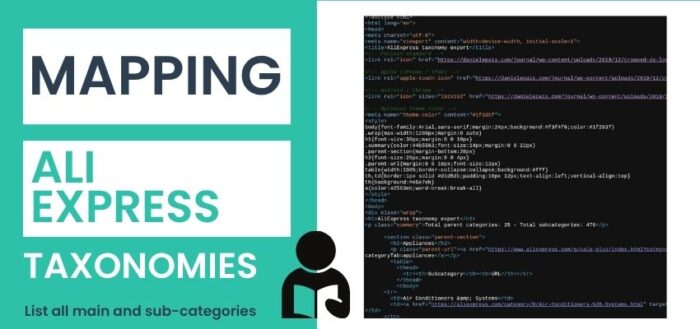
How to Map All AliExpress Categories (And Build Your Own Extraction Tool)

AliExpress is one of the largest online marketplaces in the world, offering millions of products across hundreds of categories. Yet, surprisingly, there is no official, structured, and easily accessible taxonomy map of all its categories and subcategories.
For developers, marketers, and data analysts, this creates a real challenge:
- How do you understand the full category structure?
- How do you build scraping pipelines or SEO strategies without a clear taxonomy?
- How do you organize product data effectively?
In this article, we’ll explore how to map all AliExpress categories, and how you can even build your own tool — such as a Chrome extension — to automate the process.
Table of Contents
Why Mapping AliExpress Categories Matters
AliExpress is not just an eCommerce platform — it’s a massive data ecosystem.
Having a complete category map can be extremely valuable for:
SEO and Content Strategy
Understanding the full taxonomy allows you to:
- identify niche categories
- build targeted landing pages
- structure content clusters effectively
Data Scraping and Automation
If you’re building scraping tools, you need:
- clean entry points
- hierarchical navigation
- structured URLs
Without this, your data becomes messy very quickly.
Product Research and Market Analysis
A complete category map helps:
- discover trending niches
- analyze competition
- identify underserved segments
The Problem: AliExpress Is Not Easy to Crawl
At first glance, AliExpress seems straightforward. You can navigate categories through:
https://www.aliexpress.com/p/calp-plus/index.html?categoryTab=automotive
But once you try to extract the full structure, you quickly run into issues:
- URLs contain tracking parameters
- category navigation is dynamic
- links are not always consistent
- subcategories are mixed with unrelated links
- anti-bot systems can trigger captcha or interception pages
This makes manual mapping almost impossible.
The Solution: Build a Structured Extraction Tool
To solve this, you need a system that can:
- normalize URLs (remove tracking parameters)
- detect parent → child relationships
- filter irrelevant or fake links
- crawl multiple categories
- avoid duplicates
- export clean structured data
One effective approach is building a Chrome extension.
Explore the AliExpress Category Map
Want instant access to a structured view of all AliExpress categories and subcategories? You can explore the full taxonomy or build your own extraction tool.
Explore the AliExpress Category Map
Want instant access to a structured view of all AliExpress categories and subcategories?
This dataset is continuously updated and can be used for SEO research, product discovery, and automation workflows.
How the Extraction Logic Works
At a high level, the process is simple:
1. Start From a Category URL
Example:
?categoryTab=automotive
This represents a main category.
2. Identify Subcategory Links
On the page, you scan all links and filter only those that:
- belong to the current category
- point to valid category pages
- follow patterns like
/category/orCatId
3. Clean and Normalize URLs
AliExpress URLs often look like this:
?spm=...&categoryTab=automotive&expInfo=...
You should reduce them to:
?categoryTab=automotive
This avoids duplicates and keeps your dataset clean.
4. Build the Hierarchy
Each page gives you:
- one parent category
- multiple subcategories
You store them like:
Automotive
 ├── Car Accessories
 ├── Tools
 ├── Electronics
5. Repeat for Multiple Categories
Instead of doing this manually, you can:
- input multiple category URLs
- queue them
- process them automatically
Handling Anti-Bot Systems (Important)
AliExpress may detect automated behavior and return pages like:
- captcha challenges
- “Click to feedback”
- “punish” URLs
These are not real category pages.
Your tool should:
- detect keywords like “captcha”, “interception”, “feedback”
- ignore those pages
- avoid storing corrupted data
Output: Clean Category Map (HTML)
Once the data is collected, you can export it into a structured format.
A simple and effective option is HTML tables, for example:
Category: Automotive
Subcategory | URL
----------------------------------------
Car Electronics | https://...
Car Tools | https://...
Interior Decor | https://...
This format is:
- easy to read
- easy to share
- useful for quick reference
Optional: Build Your Own Chrome Extension
If you enjoy coding, you can take this further and build a browser extension that:
- runs directly on AliExpress pages
- extracts categories automatically
- manages a crawl queue
- exports data in HTML or CSV
Key components include:
- content script → extracts data from page
- background script → manages crawl logic
- popup UI → controls the process
Alternative: Use a Ready-Made Output
Not everyone wants to build tools — and that’s fine.
If your goal is simply to:
- understand the AliExpress structure
- reference categories quickly
- plan SEO or product strategies
You can use a pre-generated HTML taxonomy map instead.
This gives you:
- a full overview
- organized category structure
- direct links to each section
Explore the AliExpress Category Map
Want instant access to a structured view of all AliExpress categories and subcategories?
This dataset is continuously updated and can be used for SEO research, product discovery, and automation workflows.
Final Thoughts
Mapping AliExpress categories is not trivial — but it is extremely valuable.
With the right approach, you can:
- turn a messy system into structured data
- build tools that automate the process
- create resources that others are actively searching for
And most importantly: you can transform a technical solution into a traffic-generating asset.

Digital Designer, blog writer and also a tech enthusiast.
He loves to write content for blogs, podcasts, design websites, logos, brochures, banners and anything that sends a message to an audience.
You can contact Daniele at the link below: