

Table of Contents
Social Media Post-ad-#1
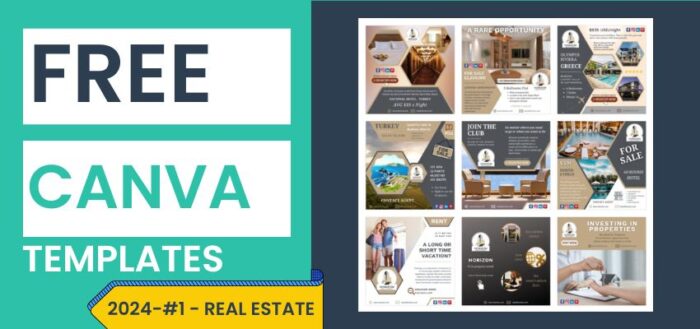
In today’s competitive real estate market, captivating visuals are key to catching the eye of potential buyers or renters. With the rise of social media as a powerful marketing tool, the demand for visually appealing content has never been higher. To help real estate professionals elevate their marketing game, we’re excited to announce the launch of our latest initiative – 9 free Canva templates designed specifically for social media posts and ads.
“And yes, we will provide the link to the original file so that you can make a copy and use them as you best wish if you find them to be useful for your business.”
Why Visuals Matter in Real Estate Marketing
In the world of real estate, first impressions are everything. Whether it’s a stunning photo of a luxury home or a sleek infographic highlighting key property features, visuals have the power to captivate and engage potential clients. Studies have shown that listings with high-quality photos receive more views and sell faster than those without. By harnessing the power of visuals, real estate professionals can effectively showcase properties and attract qualified leads.
The Power of Canva for Real Estate Professionals
Canva has quickly become the go-to tool for creating stunning graphics and designs with ease. Its intuitive interface and vast library of templates make it the perfect choice for real estate professionals looking to create eye-catching social media posts and ads. With Canva, you don’t need to be a graphic designer to produce professional-quality visuals – simply choose a template, customize it to fit your brand, and you’re ready to go.
How You can Benefit from these Templates
You can replace our demo content and just add your logo, text, web URL email etc. The purposes are many, among them, you could reuse these templates for:
- Property Showcase: Highlight the best features of your listings.
- Open House Invitation: Invite potential buyers to your open house events.
- Neighborhood Guide: Show off the best of the neighborhood.
- Testimonial Carousel: Share glowing testimonials from satisfied clients.
- Just Sold Announcement: Celebrate your recent sales and generate buzz.
- Market Update Infographic: Keep your audience informed with an informative infographic template showcasing market trends and statistics.
- Virtual Tour Promotion: Drive engagement, promoting virtual tours of your listings.
- Home Buying Tips: Provide valuable tips and advice to potential homebuyers.
- Rental Property Ad: Attract tenants to your rental properties.
How to Personalize and Use the Templates
Using our Canva templates is easy – simply click on the link provided below the templates to access the main template in Canva. From there, you can make your own copy, then customize the text, colors, images, and more to fit your brand and messaging. Once you’re happy with your design, you can download it and use it in your social media marketing efforts.


Tips for Effective Real Estate Social Media Marketing
- Use high-quality photos and visuals to showcase your properties.
- Keep your messaging clear and concise, focusing on the unique selling points of each property.
- Engage with your audience by responding to comments and messages promptly.
- Experiment with different types of content, such as videos, infographics, and virtual tours.
- Monitor your analytics to track the performance of your social media posts and ads and make adjustments as needed.
Concluding
Increase the effectiveness of your real estate marketing efforts with our collection of 9 free Canva templates for social media posts and ads. Whether you’re promoting a new listing, hosting an open house, or sharing market updates, these templates are sure to help you stand out from the crowd. Get started today and unlock your real estate marketing potential!

Digital Designer, blog writer and also a tech enthusiast.
He loves to write content for blogs, podcasts, design websites, logos, brochures, banners and anything that sends a message to an audience.
You can contact Daniele at the link below:


