

I know that these days it is easy to buy a pre-made intro or ask a developer to make one for you on websites such as upwork or similar, however, if you want you can easily make your own and here is how.
 First thing first
For the purpose of this tutorial I will assume that you have a PC and an average internet connection, the rest it is all free available software.
I am running on Linux Mint, so if you are on a different platform you can either skip this tutorial altogether or still read through and then find your substitute software that works well with your OS.
Here is a list of the desktop software I have used:
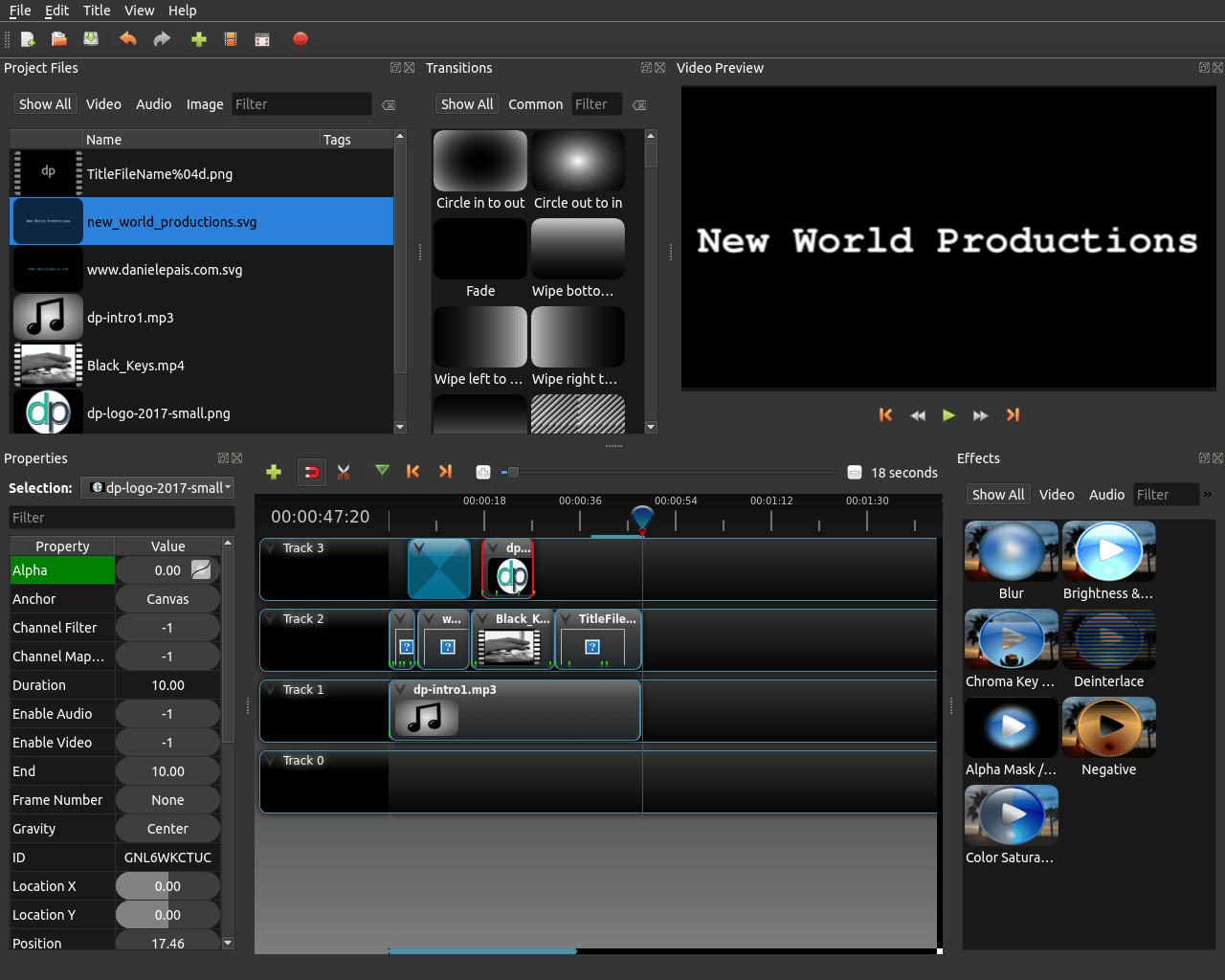
- Open shot, (http://www.openshot.org/), to produce the video .
- Inkskape, (https://inkscape.org/en/), to produce the Vector Graphic for the text slides.
- Gimp, (https://www.gimp.org/), to produce the logo slide to superimpose to the keyboard videoclip.
NOTE
As for the graphics I have mentioned both Inkscape and Gimp, however, you can use both of them, either one or the other or even none of them and choose any other graphic software that can save your output image file in extensions such as .png .svg and so on.
Here is a List of Online software and Online Media sources I have used:
- Soundtrap, (https://www.soundtrap.com/), to produce the audio file.
- Coverr, (http://www.coverr.co/), download free videoclip to add to your video if you don’t have one of yours.
NOTE 2
If you wonder how to make the 3D title effects at the beginning of the clip here is the link to the blog post on “How To Successfully Install OpenShot For Linux And Have Blender Correctly Integrated To It.” which explains that in great details.
Other than this, just use your imagination and you will be doing just fine and as always keep creative..!
About the author

Digital Designer, blog writer and also a tech enthusiast.
He loves to write content for blogs, podcasts, design websites, logos, brochures, banners and anything that sends a message to an audience.
You can contact Daniele at the link below:


Comments are closed.